
Summary
Move Marketplace is a quote-comparison tool on Move.org that helps users find and compare moving providers, then book their services. I led the design through three major iterations, evolving it from a basic lead-capture form into a multi-step marketplace experience. The result: a 43% increase in our revenue per lead overall (67% for the long-distance segment) and a significant reduction in unserviceable leads for our partners.
Role
Team
Tools
Problem
The existing lead form (called the Bulk form) asked 14 questions on a single page with no information about moving providers. Users had no way to compare options, and the form was often buried behind review pages. The result: high bounce rates, a large volume of unserviceable & bad leads (meaning unhappy partners), and low revenue per lead.
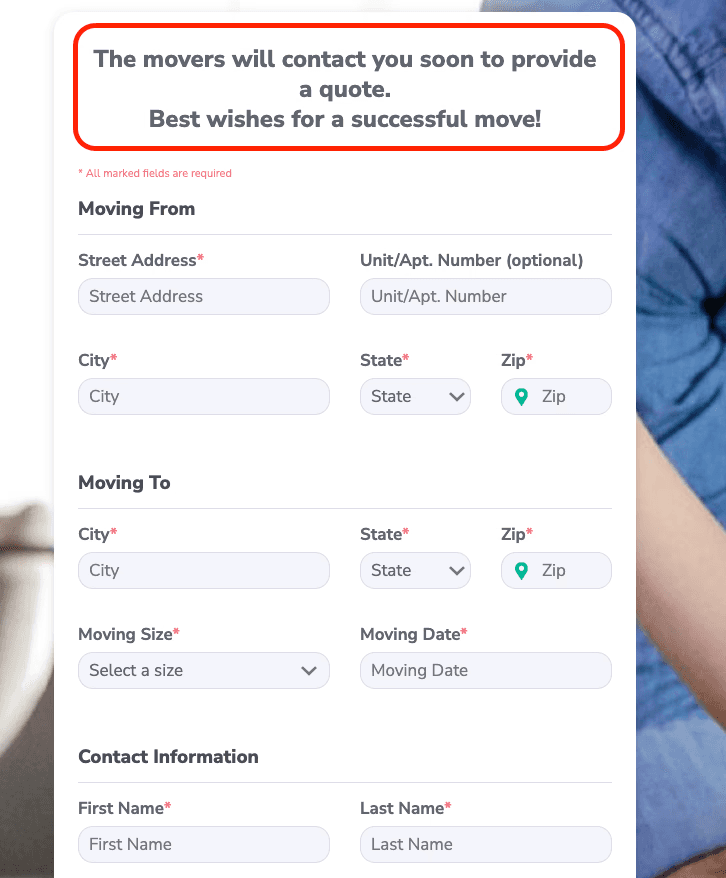
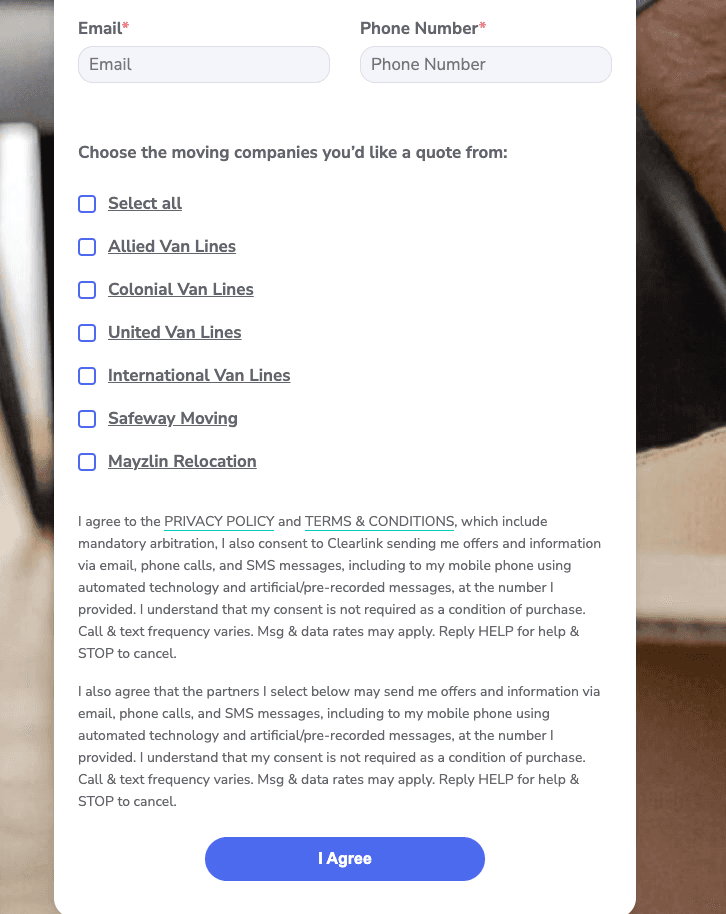
Yes, this is all one form. Yes, it was used in production. No, it does not follow UX best practices. And no, it does not haunt me (anymore…)
Goal + Vision
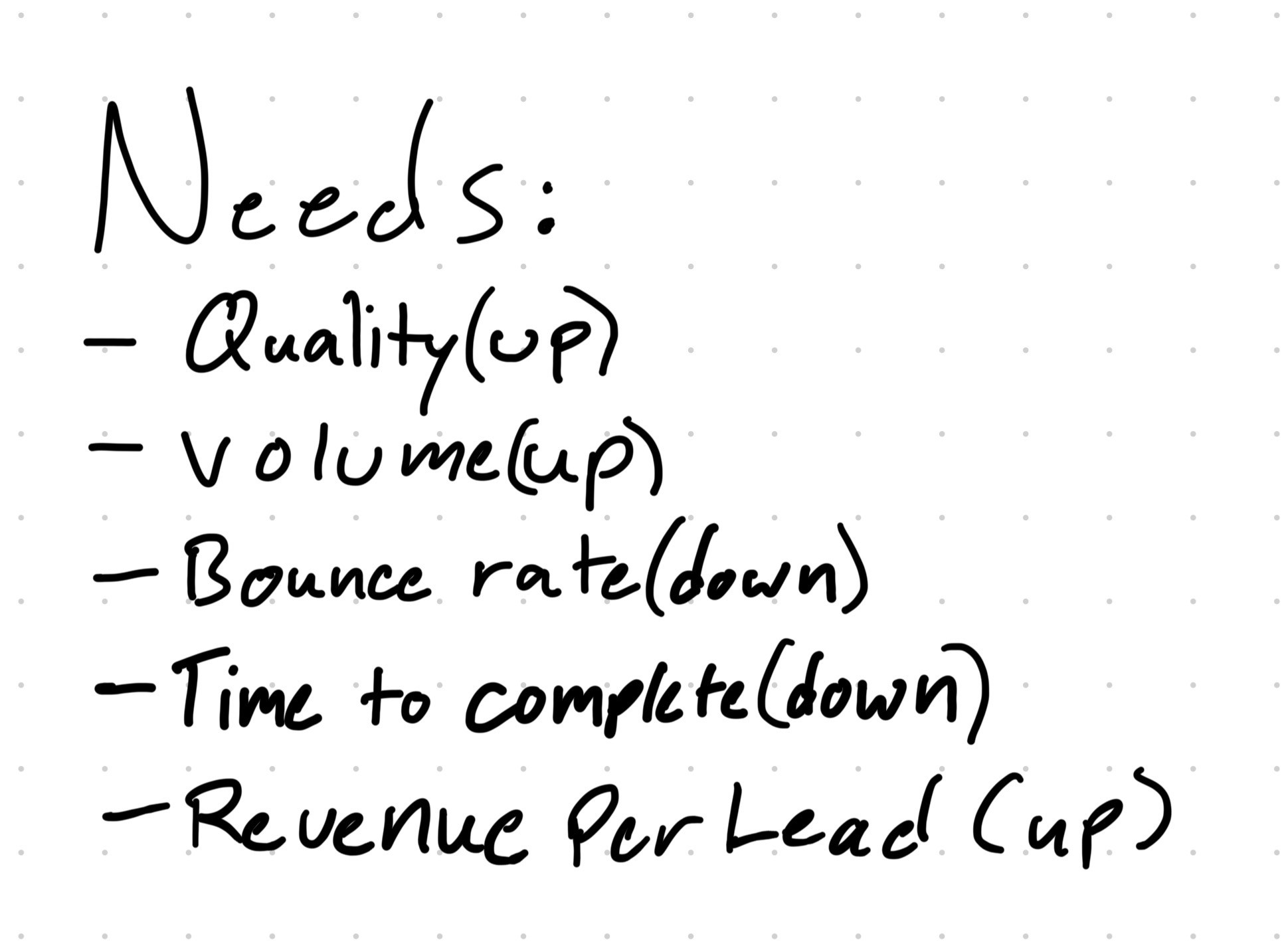
Increase the number of successfully booked moves through our moving provider partners while giving consumers a simple way to compare options and make informed decisions.
From the start, this was planned as an evolving product. The first version needed to ship fast and prove the concept, but the long-term vision was a full marketplace experience where users could compare different mover types and providers, get estimates, and make confident decisions in one place. Each iteration would build on what we learned from the last, with the ultimate goal of creating a comprehensive moving marketplace. The tool would become the site-wide primary CTA across Move.org, serving 150k+ monthly visitors.
Discovery
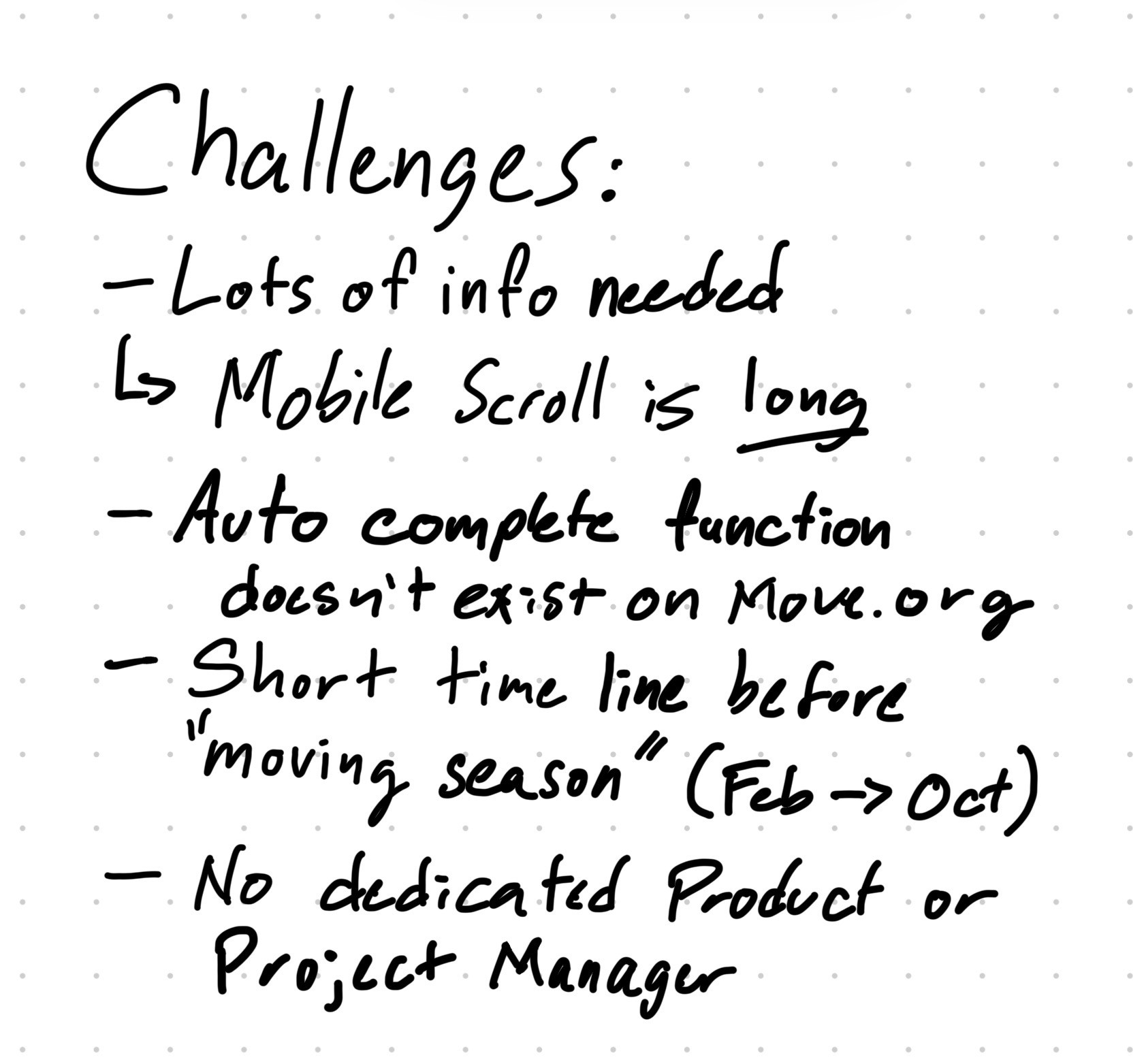
With a tight timeline and a new-to-me project, I focused discovery on three areas: 1. stakeholder interviews (to understand business goals and partner relationships), 2. analytics on the existing Bulk form, and 3. research into form design best practices. I leaned more heavily on stakeholder input than I normally would have, but the tight timeline didn’t leave space for deep research. I did discover that our partners were complaining about lead quality, and connecting the moving company with the editorial content was important.
MVP: Simplify & Prove Future Viability
The first redesign focused on reducing friction and giving users real options based on their inputs.
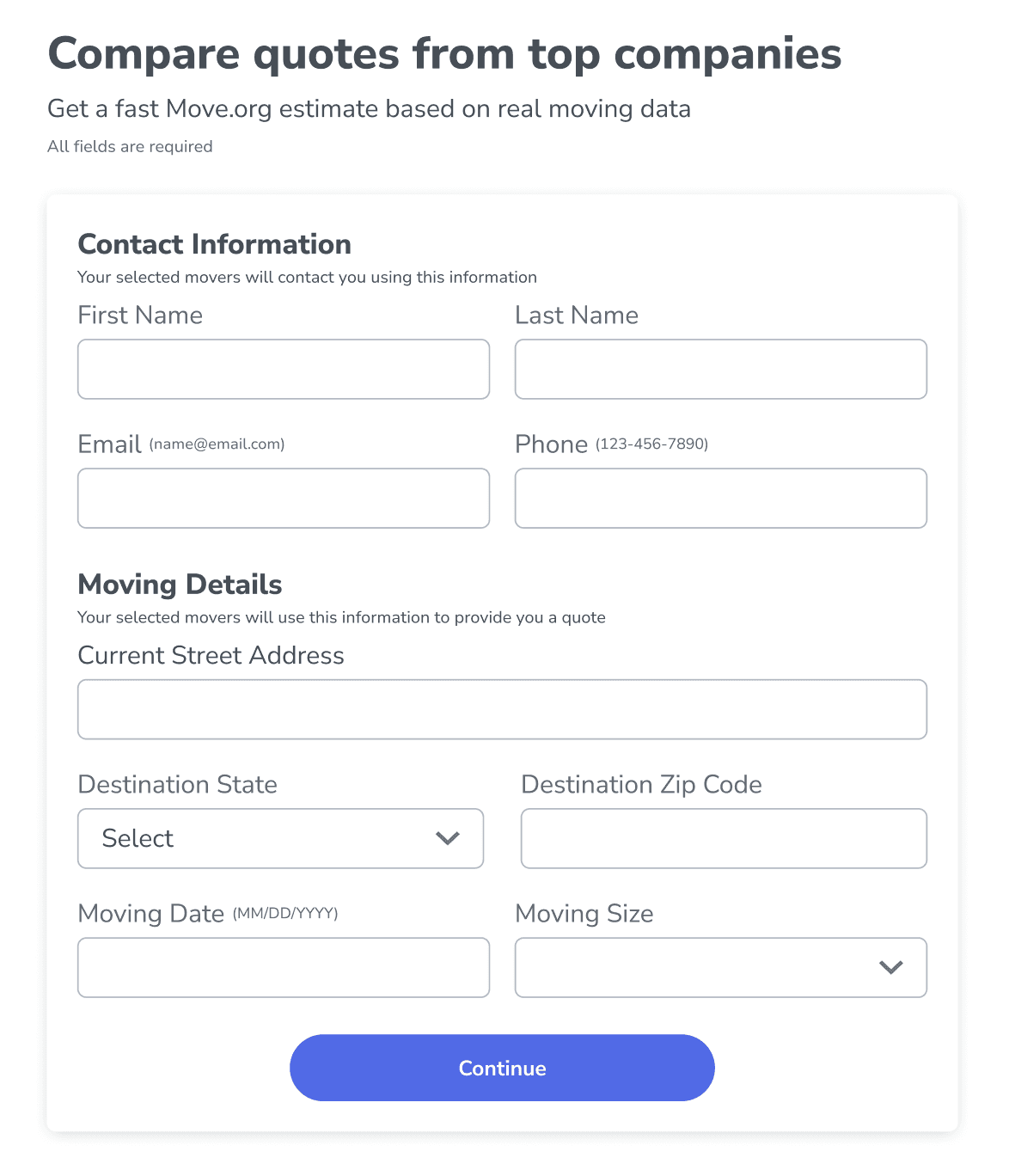
I reduced the Bulk form from 14 fields to 9 by removing one unused field and consolidating six location-related fields into two address inputs (origin and destination). This allowed for autocomplete integration, which the Bulk form had lacked. I also improved field-level validation: instead of a single error message below the submit button, each field now validated on exit with specific error text explaining what needed to be fixed.
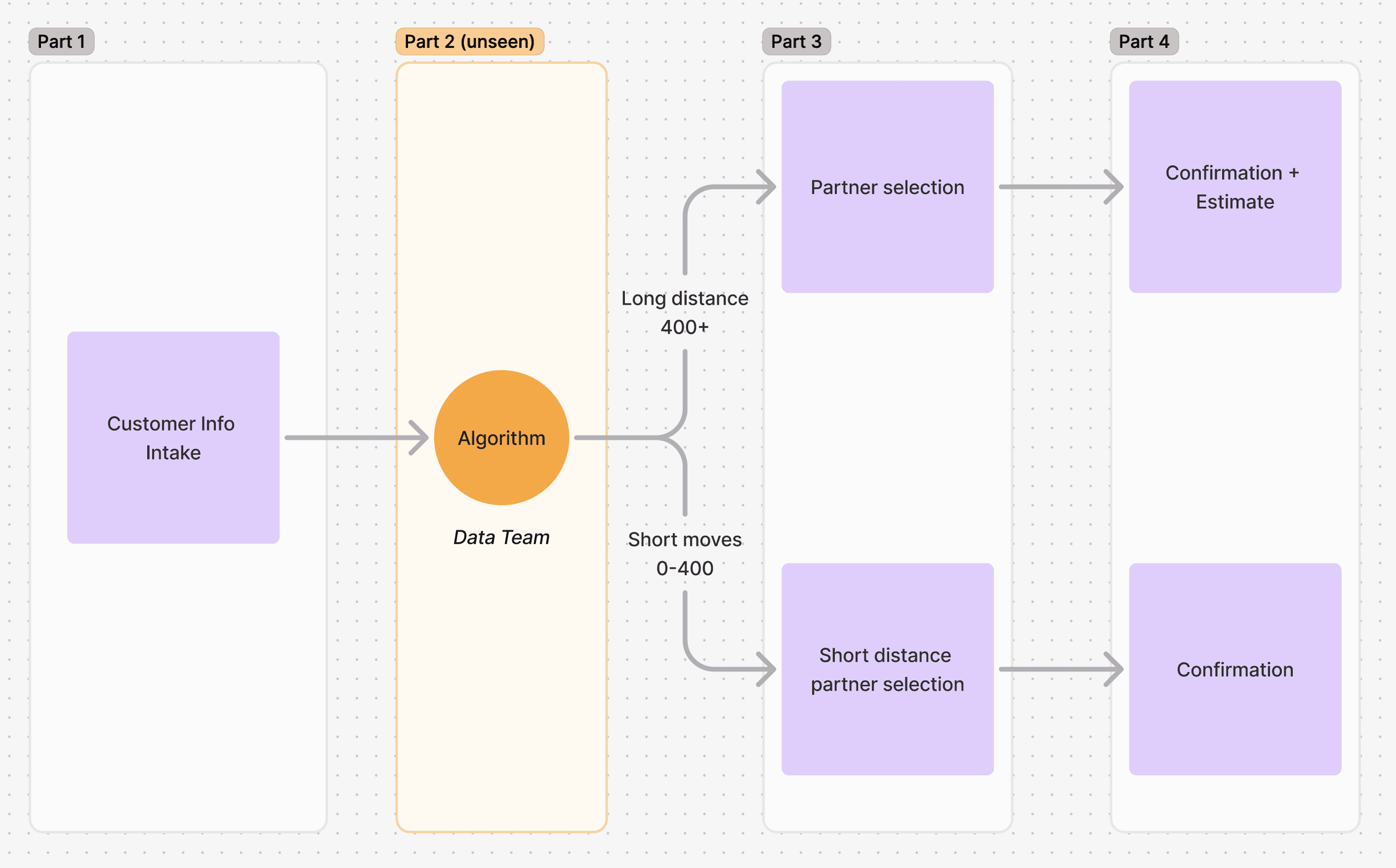
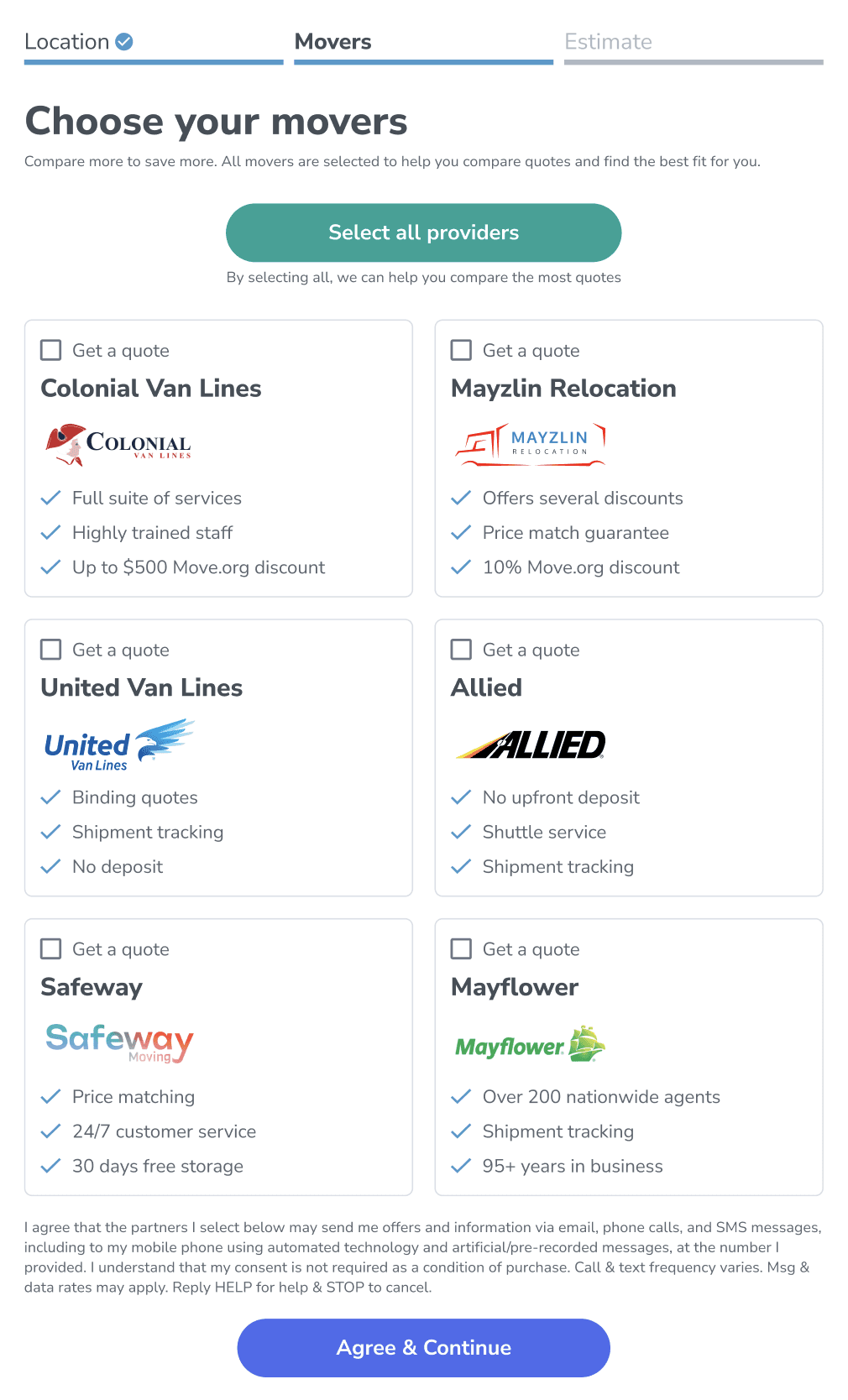
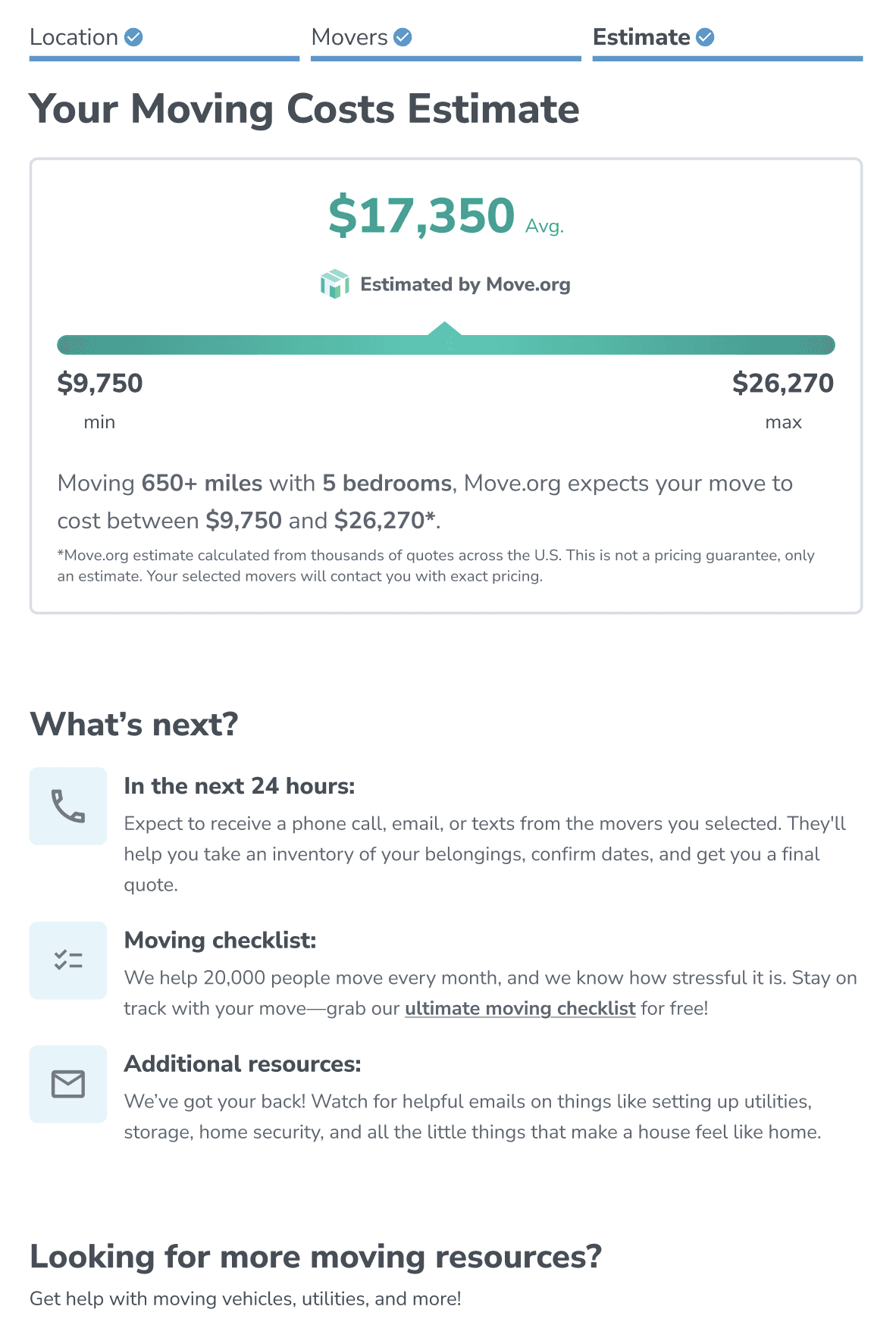
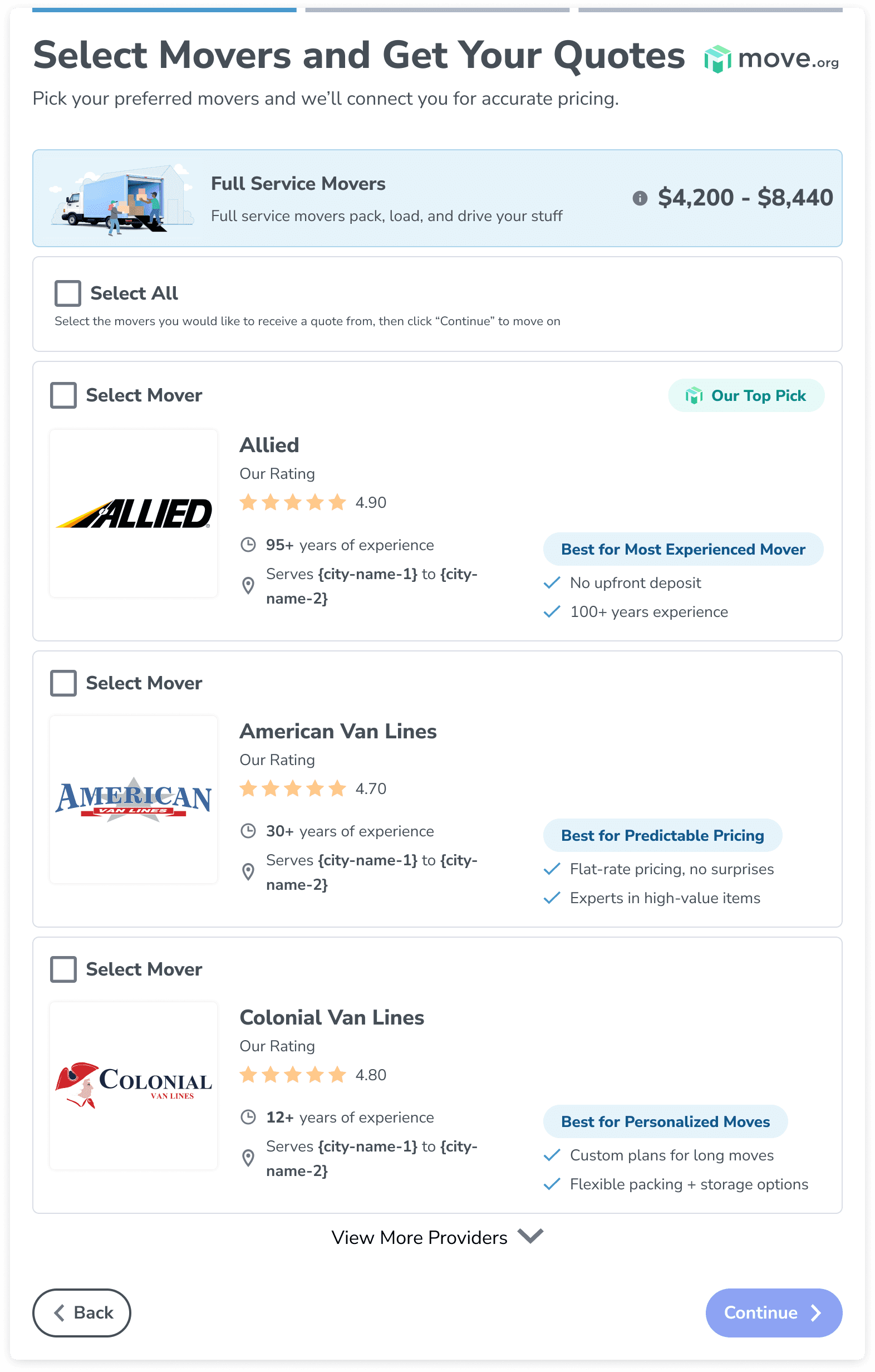
The form became three steps. Step one collected contact and address information, and a custom algorithm used that location data to surface relevant providers based on distance and region (a key goal for this tool). Step 2 allowed users to select up to seven providers and submit once to receive multiple quotes, replacing the old experience where providers were simple checkboxes buried beneath the form. And Step 3 provided estimates based on our proprietary data, giving users ballpark numbers the moving market typically hides.
"This tool will become a marketplace that people turn to for all things moving, a one-stop-shop for relocation."
Major Morris, SVP of Moving & Security
V2 - Multi-step
V2 addressed key gaps from the MVP, as well as building on it's strengths. We added support for local movers (the MVP didn't dynamically provide short-distance movers, ~80% of the moving market), introduced container movers as a fallback option when no provider partners were available, and added fields required by our new partner, Hire A Helper.
To make the growing number of fields manageable, I broke the form into 5 steps: origin address, destination address, moving details, contact information, and provider selection. The assumption was that presenting fields gradually would reduce overwhelm compared to showing everything at once. It also allowed for a progressive request for information, important since we were adding more inputs to satisfy partner requirements. I pushed back on the addition of so many new inputs, but the partnership was moving fast and I focused on getting the fields into the form rather than questioning whether every user needed them. In hindsight, I should have segmented the two user flows so only the relevant users saw the additional fields. That's a mistake I wouldn't repeat.


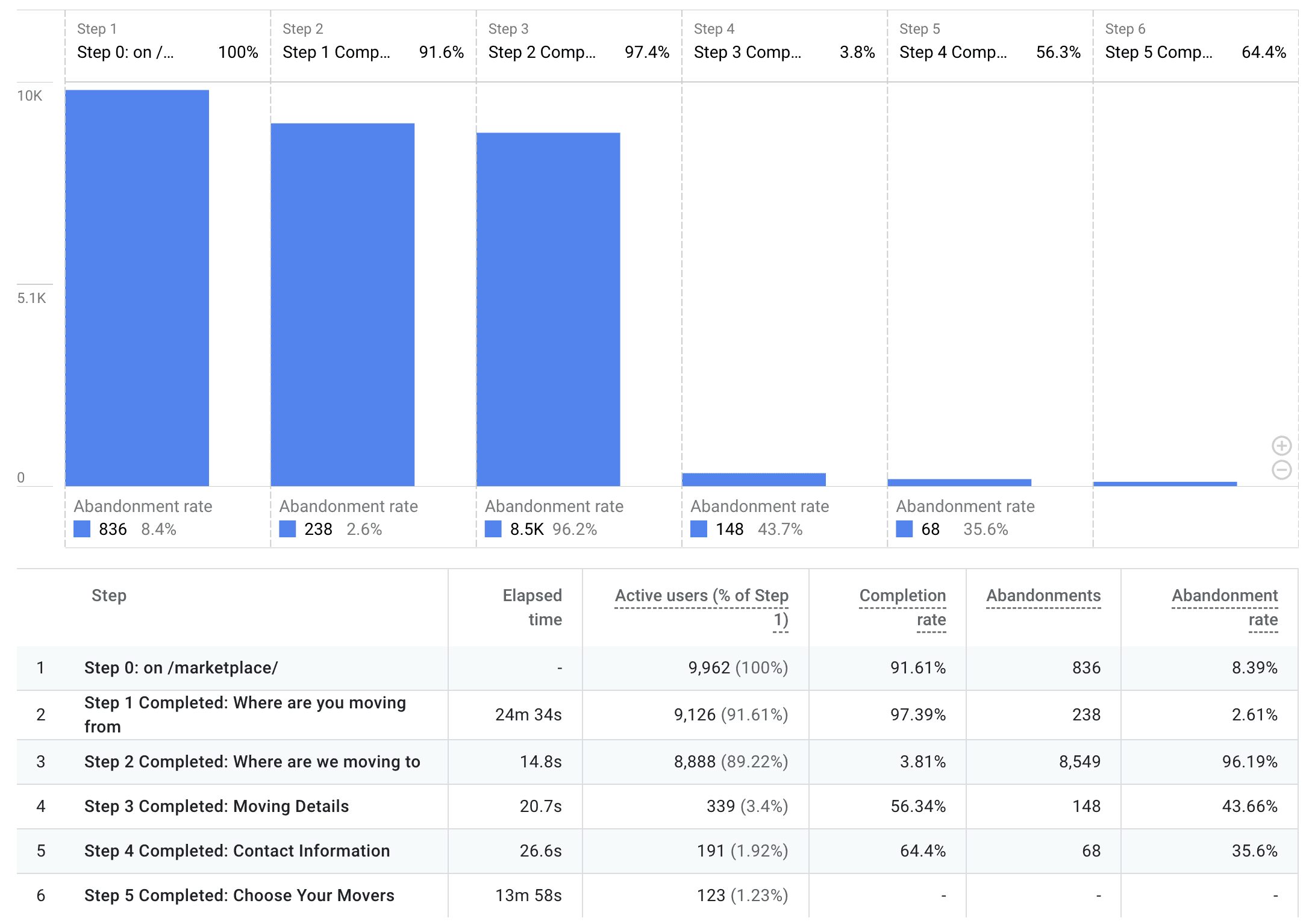
V2 Results
The results were mixed. More users started the form, but completion dropped sharply. Analytics showed a steep drop-off at Step 3, with abandonment rates ranging from 60% to over 95% depending on the time period. The wide variance suggested that seasonality and user intent played a role alongside the design itself.
Looking at the data, three things stood out. First, the origin and destination steps should have been one step. Users expect to provide both at once. Second, every user received Hire A Helper's extra fields regardless of whether those fields affected their quote. Third, users had completed multiple steps without receiving any value in return. The editorial team had framed this as an 'estimates' tool, but the experience asked for a lot before delivering on that promise.
These insights pointed to a clear direction for V3: deliver value earlier, collect the minimum amount of information required for a successful move, and maintain an easy entry point.
V3 - Widget + Estimates
V2's data made one thing clear: users who hadn't received anything of value weren't willing to keep investing effort. V3 was built around a simple principle: give users something useful as early as possible, then let their choices guide the rest of the experience.
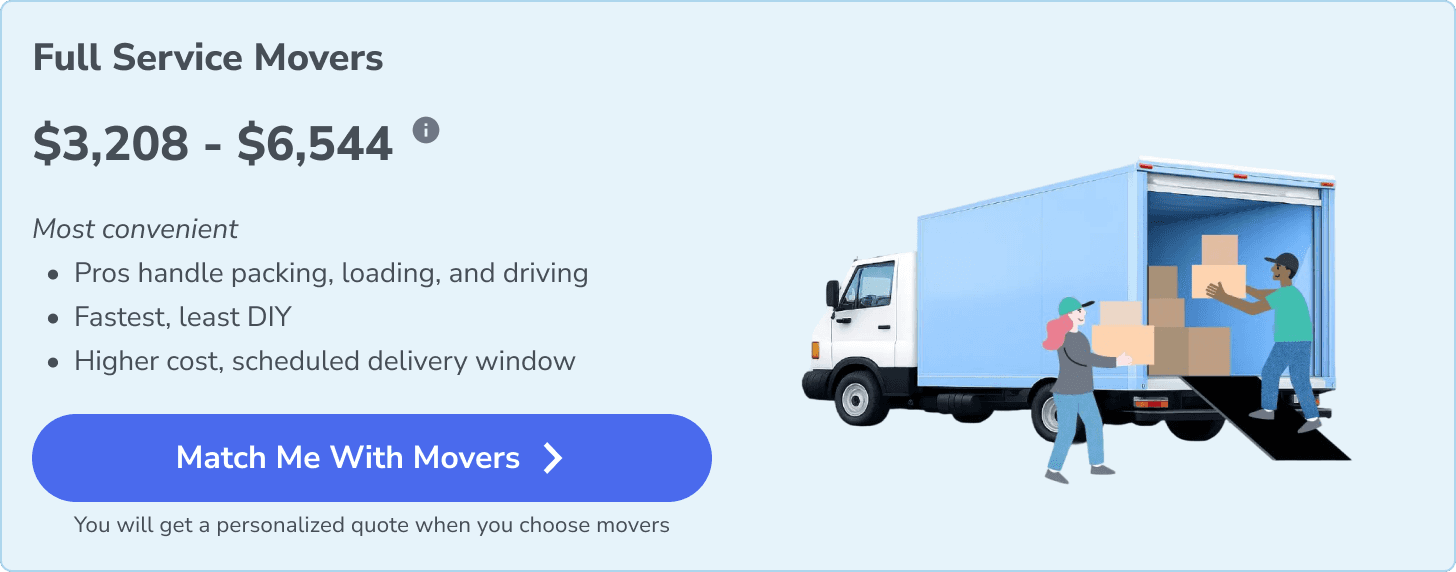
First Experience
Step 1 asks for just 4 fields: origin zip, destination zip, number of bedrooms, and moving date. No full addresses, no stairs, no heavy items. Just enough to generate an estimate. Even with Move.org’s 150k+ monthly visitors, small improvements to the entry point would have outsized impact.
Step 2 delivers that estimate immediately. Users see personalized cost ranges across three moving categories: full service movers, container rentals, and truck rentals. Each category includes a brief description and price range based on their inputs. Users who aren't ready to commit can email their estimates to themselves and return later. Those who are ready select a category, which routes them into the right flow without needing to ask additional screening questions.
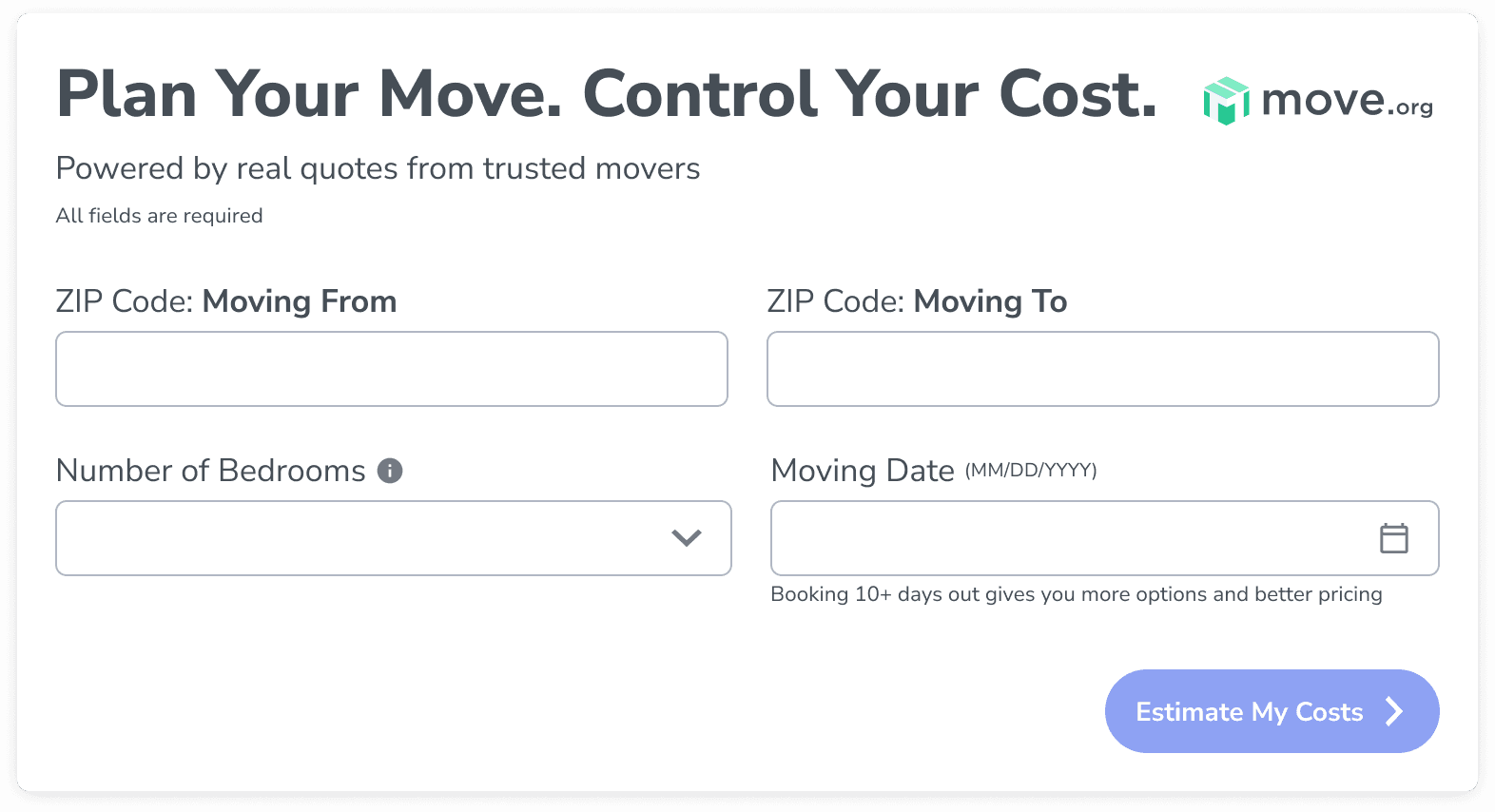
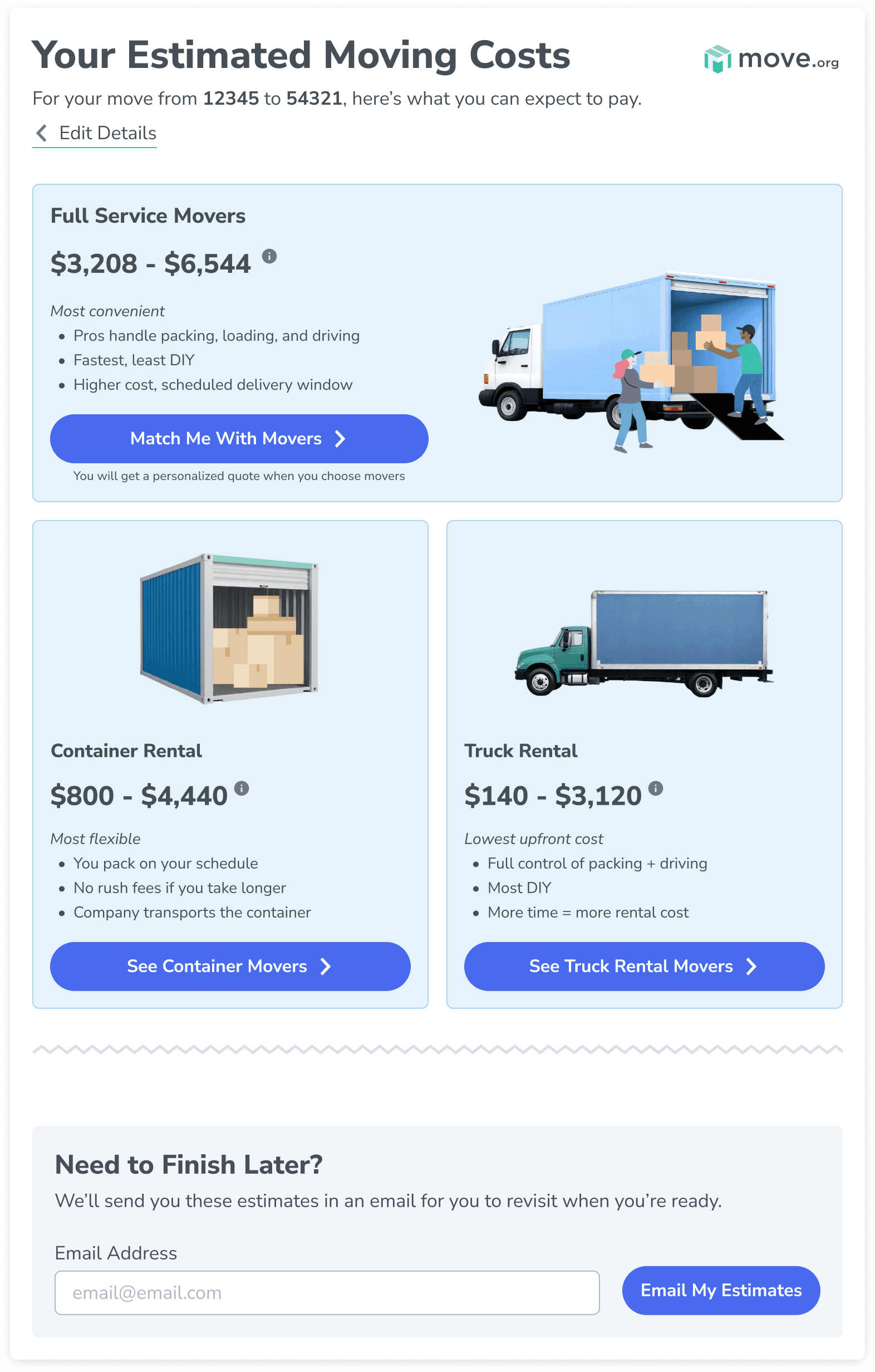
Side note: Zip codes were chosen over full addresses to avoid a costly Google Places API bill; this tool was potentially going to be used by millions, and autocomplete API calls would cost us well over $100k/year.
Smart Routing
From there, the experience splits based on distance and category. Long-distance users see provider cards with ratings and badges, then provide contact info to receive quotes. Local users see real-time pricing from available movers with the ability to confirm and book directly. Both flows collect only the information relevant to that specific path, solving the V2 problem of asking everyone the same questions.
Embedded Widget
Beyond Move.org, V3 is being designed as a standalone widget that can be embedded on partner sites. This added significant design constraints: the tool needs to carry Move.org branding while functioning within unfamiliar layouts, work seamlessly on mobile with CTAs above the fold and easy navigation, and be entirely self-contained so partner sites don't need to modify their own infrastructure. Designing for this level of portability meant every decision had to account for how the experience would hold up outside of our controlled environment.
V3 is currently in development. I'm also leading the ROI goal-setting process for this iteration, defining the success metrics and benchmarks that were missing from V1 and V2.
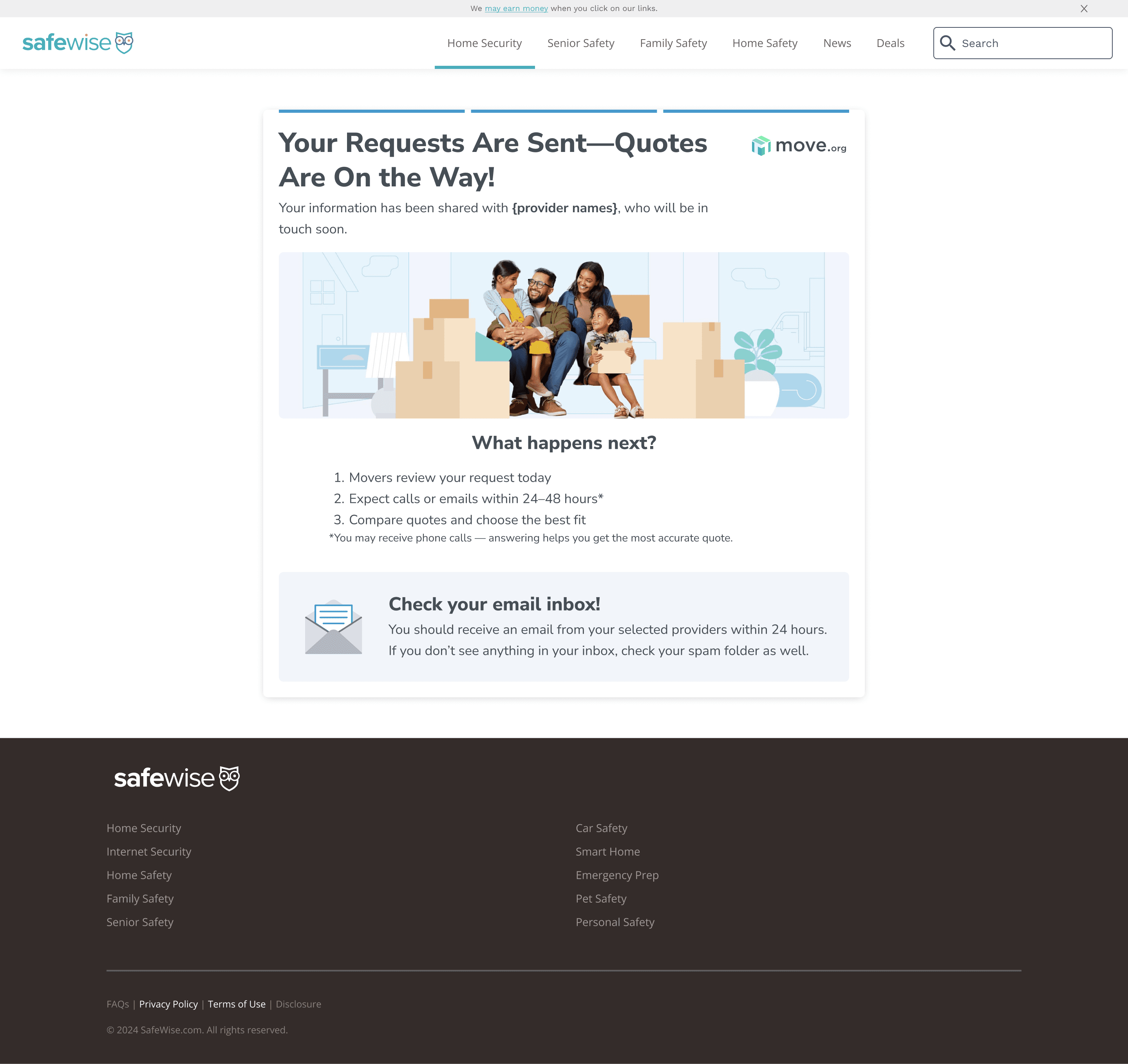
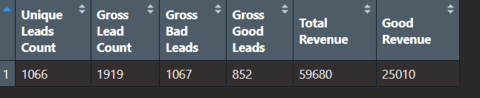
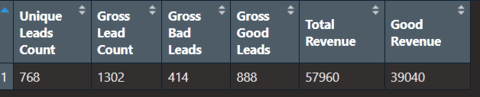
Long Distance Lead Data
Bulk (Jan-Mar '25 | 3 mo.)
MVP (May-July '25 | 2 mo.)
V2 (Aug-Dec '25 | 4 mo.); revenue data unavailable
